Introduction to Running GeckoDriver in CI Environments
CI environments, such as GitHub Actions, GitLab CI, Jenkins, CircleCI, and Bitbucket Pipelines, allow developers to automatically build, test, and deploy software with every code change. Integrating Selenium tests into these pipelines ensures that web applications function correctly across browsers and platforms.
GeckoDriver is a critical component for running Selenium tests with Firefox. It translates WebDriver commands into browser actions, allowing automated scripts to interact with the browser programmatically. Without a properly configured GeckoDriver, automated tests can fail, causing delays in development and deployment cycles.
Running GeckoDriver in CI environments provides several advantages:
- Consistency across builds: Each CI run uses the same GeckoDriver and Firefox versions, reducing flaky tests.
- Automated browser testing: Reduces manual testing overhead and accelerates feedback loops.
- Improved reliability: Automation ensures version compatibility, proper environment configuration, and reproducibility.
By automating GeckoDriver management in CI, teams can avoid common errors and maximize pipeline efficiency.
What Is GeckoDriver and Its Significance in CI Automation
Overview of GeckoDriver and Firefox WebDriver Integration
GeckoDriver is an executable that enables Selenium WebDriver to control Mozilla Firefox. Every command in a Selenium test script, like clicking a button, filling a form, or navigating a page, is translated by GeckoDriver into actions that Firefox can execute.
In CI environments, GeckoDriver must be installed and accessible to the test runner for automation to work seamlessly. An incorrect installation or a version mismatch between Firefox and GeckoDriver can lead to frequent build failures.
Common Challenges When Using GeckoDriver in CI Pipelines
Some challenges developers encounter when running GeckoDriver in CI include:
- Version incompatibility between Firefox and GeckoDriver
- Missing dependencies for headless browser execution
- Environment variable misconfiguration, leading to PATH errors
- Network or firewall restrictions blocking driver downloads
Addressing these issues ensures that CI pipelines remain stable, reproducible, and fast.
How Version Compatibility Impacts CI Testing Reliability
Each Firefox release often requires a specific GeckoDriver version. Using mismatched versions can result in Selenium errors such as “SessionNotCreatedException,” browser launch failures, or test timeouts. Ensuring compatibility in CI pipelines prevents pipeline disruptions and flaky tests.
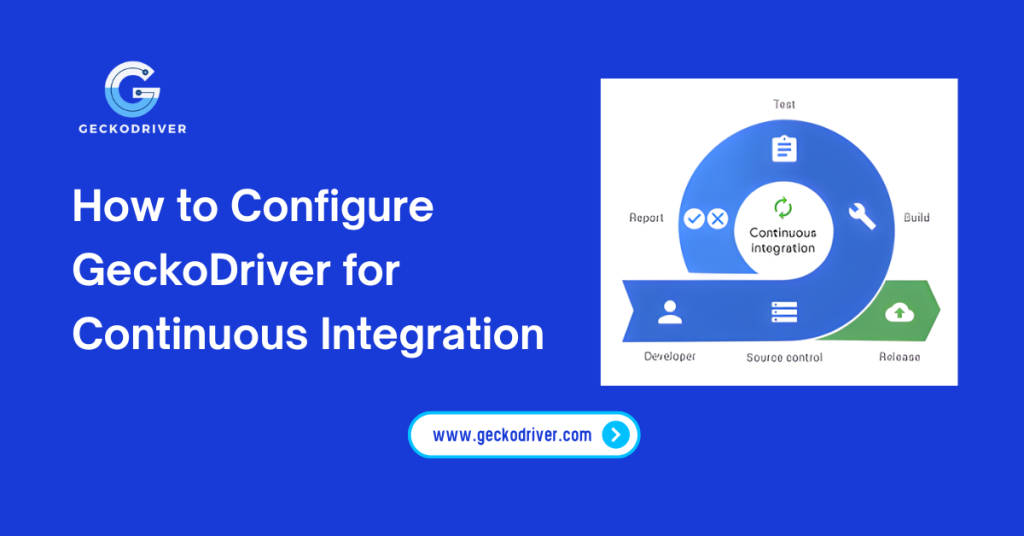
How to Configure GeckoDriver for Continuous Integration
Setting up GeckoDriver in a CI environment involves several key steps to ensure reliability and maintainability.
Selecting Compatible GeckoDriver Versions for CI
Before integrating GeckoDriver, determine the Firefox version used in your pipeline. Use official GeckoDriver releases to match that browser version. For automated pipelines, tools like WebDriverManager can dynamically download compatible versions, reducing manual maintenance.
Installing GeckoDriver in Popular CI Environments
Different CI platforms require slightly different setups. Here are common approaches:
- GitHub Actions:
Useactions/setup-geckodriveror a custom script to download and set GeckoDriver in the PATH before running Selenium tests. - GitLab CI:
Include a setup job that installs Firefox and GeckoDriver, ensuring the executable is available in subsequent test jobs. - Jenkins:
Install GeckoDriver either globally or in the workspace, and configure the PATH environment variable on Jenkins agents.
Using Automation Scripts to Manage GeckoDriver in Pipelines
Automation scripts ensure that every CI build uses the correct GeckoDriver version. Example approaches include:
- Bash scripts to download and extract GeckoDriver dynamically.
- Python scripts using webdriver-manager libraries for automated version management.
- CI jobs that cache the driver for faster builds and reduce repeated downloads.
Ensuring Environment Variables and PATH Configuration Are Correct
For CI pipelines to locate GeckoDriver, the executable must be included in the system PATH. Common strategies include:
- Exporting PATH in pipeline scripts:
export PATH=$PATH:/path/to/geckodriver
- Using the built-in CI environment configuration to persist the PATH across jobs.
Correct configuration ensures Selenium tests execute without “driver not found” errors.
Best Practices for Running Selenium Tests with GeckoDriver in CI
Following best practices enhances the reliability and efficiency of GeckoDriver in CI environments.
Handling Headless Browser Execution in CI
Most CI environments do not have a graphical interface. Running Firefox in headless mode allows tests to execute without GUI dependencies. Enable headless mode in Selenium with:
from selenium.webdriver.firefox.options import Options

options = Options()
options.headless = True
driver = webdriver.Firefox(options=options)
Reducing Build Failures Due to Driver Mismatches
Lock GeckoDriver versions in scripts or CI configuration to avoid unexpected failures when Firefox updates. Automated checks can alert teams if a mismatch occurs.
Logging and Debugging GeckoDriver in Automated Pipelines
Enable verbose logging for GeckoDriver in CI pipelines:
geckodriver --log debug
Persist logs to pipeline artifacts for post-build inspection. Logs are invaluable for troubleshooting session errors or browser launch failures.
Integrating GeckoDriver Updates Seamlessly with CI/CD
Incorporate driver update scripts in your CI/CD pipeline to automatically fetch compatible versions. This reduces maintenance overhead and keeps tests aligned with Firefox updates.
Optimizing CI Pipelines with Automated GeckoDriver Management
Automation is key to long-term pipeline efficiency. Consider the following strategies:
- Automating downloads: Use scripts or WebDriverManager to dynamically fetch the correct GeckoDriver version.
- Caching drivers: Cache downloaded drivers in the CI workspace to reduce build times.
- Maintaining consistency: Lock versions across local, staging, and production pipelines to prevent inconsistencies.
- Cross-platform considerations: Configure pipelines to handle Windows, Linux, and Mac runners appropriately.
These strategies reduce build failures, speed up CI runs, and improve overall test reliability.
Troubleshooting Common GeckoDriver Issues in CI Environments
Even with proper configuration, issues can arise. Here’s how to address them:
Fixing Version Incompatibility and Session Errors
Ensure the Firefox version matches GeckoDriver. Automate version checks in the pipeline to prevent mismatches.
Handling Permission and Path Issues in CI Runners
Make sure GeckoDriver is executable:
chmod +x /path/to/geckodriver
And verify that it is included in the PATH.
Resolving Browser Launch Failures in Headless Mode
Install the required dependencies, such as Xvfb and the GTK libraries, to run headless Firefox. Without these, headless tests may fail silently.
FAQ on Running GeckoDriver in CI Environments
How do I install GeckoDriver in GitHub Actions CI?
Use actions/setup-geckodriver or custom scripts to download and add GeckoDriver to the PATH before running tests.
Can GeckoDriver be used in headless mode in CI pipelines?
Yes. Configure Selenium with headless options to run Firefox without a graphical interface.
How do I automatically update GeckoDriver in CI environments?
Use automation scripts or tools such as WebDriverManager to fetch the latest compatible GeckoDriver version for each CI run.
Why do Selenium tests fail with GeckoDriver in CI pipelines?
Common reasons include driver-version mismatch, missing dependencies, incorrect PATH configuration, or headless execution issues.
How do I verify the GeckoDriver version in CI builds?
Run geckodriver --version In the CI job, confirm that the correct version is installed.
Is it safe to use GeckoDriver in production CI/CD pipelines?
Yes, with version locking, automated updates, and secure PATH configuration, GeckoDriver is safe for CI/CD environments.
How do I debug GeckoDriver errors in CI runners?
Enable verbose logging and persist logs to pipeline artifacts for detailed analysis.
Can I run cross-browser tests with GeckoDriver in CI?
Yes, you can orchestrate multiple browsers by running multiple containers or using parallel CI jobs for ChromeDriver and GeckoDriver.
Conclusion: Streamlining CI Automation with GeckoDriver
Running GeckoDriver in CI environments is essential for modern Selenium-based test automation. By following a container-safe, automated setup, developers and QA teams can achieve the following:
- Reduced build failures from version mismatches
- Faster, headless test execution in CI pipelines
- Consistent results across environments
- Simplified maintenance through automated driver updates
Implementing these best practices ensures your CI/CD pipelines are robust, scalable, and reliable, enabling faster development cycles and higher-quality web applications.
Latest Post: